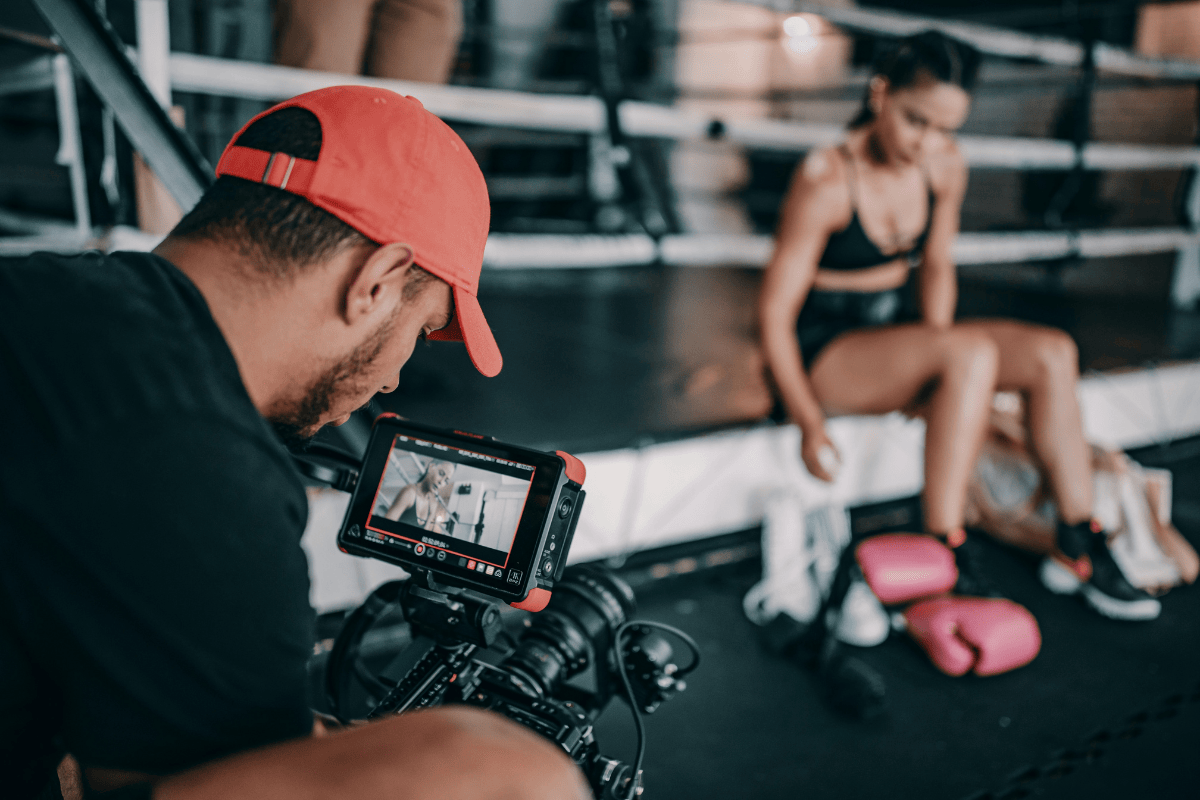
Whether you’re filming group classes, livestreaming sessions, or shooting quick reels for social media, video content is no longer optional!
In this guide, we’ll show how to upgrade your video content setup without breaking the budget. We’ll cover what to look for in a camera, the best gear by price range, and a few tips for filming, lighting, and editing your videos for maximum reach.
What to Look for in a Camera for Gym Video Marketing?
Note down the checkpoints below before you head to the camera store or start browsing for filming equipment online. The first thing to consider is the budget.
You can start small and scale as your strategy grows. Entry-level cameras or smartphones, like newer iPhones, can handle most filming needs. Even movies have been shot on iPhones, so you can start there, too. But if you’ve got room in your budget, focus on these key specs and features:
- #1: Resolution and Frame Rate: Remember these numbers: 1080p (Full HD) or 4K resolution, and at least 60 fps (frames per second). 1080p will cover all your basic social videos, reels, and website content. 4K gives you sharper quality and flexibility if you plan to crop or reuse clips later.
- #2: Autofocus and Stabilization: Look for fast autofocus to keep trainers in focus, and built-in stabilization to keep footage steady when you’re filming handheld or moving through the gym.
- #3: Audio Input Options: Good sound can make or break your content. Ask for a camera with a microphone input or Bluetooth mic support so you can plug in a lapel mic or wireless option for clean trainer audio.
- #4: Low-Light Performance: Gyms and studios often have uneven or dim lighting. Choose a camera with a larger sensor (1 inch or APS-C) or good ISO performance. This helps maintain clarity without grain when filming indoors.
- #5: Ease of Use and Portability: If you’re filming on your own, you need something simple. Look for touchscreen controls, light body weight, and easy connectivity (like mobile app control) so you can record, preview, and upload fast.
Check Out: The Picture Perfect Guide on How to Make a Fitness Video Strategy
The Budget-Friendly Tier: Top 2 Fitness Content Creation Cameras
Good for: Small to medium fitness businesses just starting out, filming studio exercise videos
If you’re new to filming or social media video equipment, the goal isn’t “cinematic quality,” it’s clear, engaging content that shows your gym’s energy.
The two options below are affordable, easy to use, and deliver great results when paired with simple lighting and a steady setup.
The Most Affordable Camera for Fitness Studio Video Content
- Why it works: A truly budget-friendly camera that lets you start filming immediately or capture a second angle. Its small frame makes it ideal for fixed mounts on walls, racks, or cardio equipment without getting in the way of your trainers and members.
- Specs to know: Records 4K @ 30 fps video and 3840 × 2160 (JPEG) photos in MP4 format. Uses TF cards (up to 256 GB), connects via USB-C, charges at 5 V / 2 A in ≈ 120 minutes, features a 120° wide-angle lens, and operates between −10 °C and 60 °C. Size 64.5 × 28 × 20 mm.
- Pros: Extremely affordable; simple to set up; good daylight image quality for Reels or class snippets.
- Cons: No slow-motion or stabilization; weaker low-light results; short battery life (~90 min).
- Price range: $50–$70
- Best for: Static side angles, equipment-mounted shots, or quick secondary footage to mix with your main camera edits.
Best Price-to-Performance Camera for Gym Content
- Why it works: Built as GoPro’s most affordable creator camera, it’s compact, tough, and simple to use, perfect for gyms that want high-quality video without extra setup or tech skills. You can clip it to a wall, tripod, or equipment mount and capture everything from workouts to walk-throughs.
- Specs to know: Shoots in 4K @ 30 fps for sharp clarity and 2.7K @ 60 / 50 fps for 2× slow-motion clips. Captures 12 MP photos using a 1 / 2.8″ CMOS sensor, includes HyperSmooth digital stabilization, and is waterproof up to 5 m (16 ft) without a case. Charges via USB-C and weighs ≈ 86 g.
- Pros: Delivers reliable 4K video for social and web use; slow-motion at 2.7K adds flexibility for highlight edits; compact, durable, and easy for any staff member to handle.
- Cons: Basic stabilization (not the advanced Black-series HyperSmooth); no external mic input; performs best with good lighting, so you might need a few accessories.
- Price range: $199
- Best for: Class highlights, trainer reels, promo clips, and quick day-to-day gym content where simplicity and speed matter.
Once you’ve filmed a few clips and you’re ready to level up your quality, these cameras strike the best balance between price, performance, and ease of use.
They’re designed for creators, simple to operate, great in low light, and professional enough to make your gym content stand out.
Best Camera for Motion-Heavy Fitness Content
- Why it works: A 3-axis-stabilized gimbal camera that lets you walk, move, and film workouts smoothly in one take. Fitness creators love it for its portability and ability to switch between horizontal and vertical recording.
- Specs to know: 1-inch CMOS sensor, up to 4K 120 fps, 10-bit D-Log M color, 3-axis mechanical gimbal, rotating 2″ touchscreen, USB-C, Wi-Fi/Bluetooth, built-in mic + external mic support.
- Pros: Buttery-smooth stabilized video even while moving; natural skin tones and color depth; compact enough to film anywhere, in-studio or outdoors.
- Cons: Limited zoom; smaller screen for framing; slightly higher price for its size.
- Price range: $519
- Best for: Trainers or studios filming dynamic movement, walking demos, group classes, bootcamps, or handheld content where stability and mobility matter most.
Top Pick for Studio-Quality Fitness Videos
- Why it works: The Sony ZV-1 II is for content creators. Its wide lens and fast autofocus make it ideal for filming trainers or small-group classes where you need sharp focus and flattering light straight out of the camera.
- Specs to know: 20.1 MP 1-inch sensor, 18–50 mm f/1.8–4 lens, 4K 30 fps, 1080p 120 fps, flip screen, built-in directional mic + mic input
- Pros: Sharp image and skin tones, strong autofocus, easy plug-in streaming, and wide enough to capture full workouts.
- Cons: Battery drains faster in 4K. Stabilization is not as strong as action cams.
- Price range: $900
- Best for: Trainers or studios filming professional-looking workouts, tutorials, or branded videos.
Read More: Short Form Video Playbook for Fitness Studio Owners
Premium & Future-Proof Fitness Studio Content Creation Gear
What we mean by “future-proof” is investing once in professional-quality gear that will keep up as your marketing evolves.
This tier costs more upfront but gives you flexibility across content types, from social reels to livestreams, and the quality you’ll need for years. Think of it as your long-term setup: one purchase that grows with your business as new platforms and tech trends appear.
Best Professional Camera for Fitness Studio Video Production
- Why it works: A mirrorless camera made for content creators who want complete creative control. Perfect for fitness studios producing long-form YouTube videos, branded promos, or high-quality livestreams.
- Specs to know: 24.2 MP APS-C sensor, 4K 30 fps and 1080p 120 fps, interchangeable E-mount lens, real-time eye-AF, flip screen, external mic input, USB-C power.
- Pros: Excellent depth and clarity; autofocus locks on trainers easily; flexible lens options; studio-ready for livestream or course filming.
- Cons: Needs a tripod or gimbal for action shots; higher learning curve; more delicate than action cams.
- Price range: $800 (body only)
- Best for: Studios scaling into full-production content, trainer interviews, educational videos, and long-form branded storytelling.
Best Advanced Action Camera for Fitness Content Creation
- Why it works: The newest GoPro combines top-tier image quality and extreme stabilization, ideal for trainers filming high-movement workouts or outdoor bootcamps. It’s a long-term investment that covers everything from Reels to YouTube-quality content.
- Specs to know: Up to 5.3K at 60 fps, 4K at 120 fps, 2.7K at 240 fps, HyperSmooth 6.0 with Horizon Lock, 27 MP photos, 10-bit HDR video, dual screens, Wi-Fi, 10 m depth waterproof.
- Pros: Incredibly smooth video even while moving; crisp detail and color indoors or outdoors; compact for tight studio setups; livestream-ready.
- Cons: Large file sizes and battery drain at high frame rates; needs good lighting for best results.
- Price range: $399
- Best for: Gyms filming premium ads, high-energy workouts, or hybrid in-person + online training content.
GoPro vs. Sony: Action vs. Storytelling
Both cameras are powerful, but they serve different purposes.
- GoPro HERO13 Black is built for movement: capturing energy, motion, and real workouts. Its stabilization and durability make it ideal for classes, outdoor sessions, or any handheld filming.
- Sony ZV-1 II and ZV-E10 focus on storytelling: polished trainer videos, interviews, and brand content where lighting, depth, and clarity matter most.
If your content is about action, choose GoPro. If it’s about connection and brand, choose Sony.
Free Resource: How to Build an Online Brand for Your Fitness Business
Gear Beyond the Camera: Accessories & Setup for Gym Content
Your camera is the most significant investment, but the right accessories make your setup complete. They sharpen your visuals, clean up your audio, and make your videos look intentional, whether you’re filming a trainer tip or a full class. Here’s how to complete your setup:
Lighting
- LED panels: Your go-to for most setups. Bright, adjustable, and ideal for classes or interviews. Place one at a 45° angle in front of the trainer and a second opposite to soften shadows.
- Ring lights: Best for close-ups, Reels, or tutorials. Mount directly in front of your trainer to evenly light faces and reduce harsh shadows.
- Overhead or ambient lights: Use when you need the floor space clear, like for HIIT or group classes. Combine with LED panels to eliminate dark corners.Keep lighting around 5000K (daylight) for consistent, natural color.
Audio
- Lapel mics: Clip-on options (wired or wireless) are perfect for trainers who move or talk mid-demo.
- Shotgun mics: Great for classes, capture both the trainer’s voice and the room energy. Mount overhead or on a stand.
- Condenser mics: For controlled environments like podcasts or educational content.
- Pro tip: Test sound with music or background noise on before filming.
Tripods and Mounts
- Floor Tripods: Great for static shots such as intros, how-tos, testimonials.
- Wall/ceiling mounts: Use to keep framing consistent for class recordings.
- Action mounts: Attach to rigs or equipment for creative, dynamic shots.
- Pro tip: Mark your tripod spot with tape so every video starts perfectly framed.
How to Create & Integrate Video Content into Your Gym’s Marketing Plan
Don’t wait for a perfect moment to start filming; start by filming what’s already happening!
Make recording part of your routine: keep a camera mounted where it won’t interrupt classes, or schedule sessions you know will look good on video. From those recordings, you can easily build your highlights, Reels, Shorts, and promo clips.
Plan and repurpose your footage:
- Class highlights: You can record full classes (HIIT, spin, or strength), or have a few of them scheduled to be filmed, too. Filming actual classes from your fitness studio helps capture natural energy, movement, and community moments.
- Instagram Reels or TikToks (15–30 s): When you have finished filming for the day or week, you have to edit. Remove filler minutes and cut vertical clips that show trainer energy or key moments.
- YouTube Shorts or 1-minute edits: Save slightly longer clips for your website or YouTube, where you show your programming or personal training. These are ideal for brand storytelling and discovery.
- Promo clips (10–20 s): Whenever you’re running a campaign, you can re-edit the same footage and add your campaign copy, with a clear call to action, too!
Free Resource: Choosing the Right Gym Software: A Step-by-Step Guide
How to Measure ROI and Cost-Benefit of Video Marketing for Fitness Studios
Video content can attract new members, re-engage old ones, and keep your brand top of mind. The return doesn’t just show up in views; it shows up in leads, retention, and referrals.
Let’s try to simplify the cost side so you’d be able to measure impact and ROI. First, you can list the basics:
- Initial gear setup: E.g. $300–$1,000 for camera + mic + light
- Editing software or apps: E.g., Free to $20/month (Canva, or CapCut).
- Time: E.g., 5 hours per week from film to editing to scheduling your social media posts.
Once your videos start generating followers or new clients, you’ll have measurable ROI. But just like training, results build with consistency. Here’s what to track monthly:
- Engagement: Saves, shares, comments.
- Reach: New viewers discovering your gym.
- Click-throughs: From posts to trial or booking pages.
- Conversions: Memberships, class sign-ups, app downloads.
- Retention: Members staying longer due to regular online touchpoints.
Example of ROI: If one well-produced testimonial video brings in just three new memberships at $60/month, that’s $180 recurring. The gear that cost $500 has already paid for itself in less than three months.
Read More: How to Make a Gym Profitable: 7 Smart Strategies for Sustainable Growth
Video Marketing Equipment for Fitness Studios: Bringing It All Together
The right fitness content creation tools, your camera, setup, and workflow can completely level up your gym’s marketing. You don’t need to master filmmaking, just start capturing what’s already happening in your space and turn it into content that drives connection and growth.
Pick one gear tier that fits your budget, commit to a 30-day content plan, and start filming regularly. The more consistent you are, the faster you’ll see results in engagement, brand visibility, and member sign-ups.
From class previews to highlight reels, your videos can live right inside your booking pages and push notifications, turning every view into your next new member.
Bring your content to life inside your member experience with ABC Glofox. From class highlights to push notifications and booking pages, every video can help attract, engage, and retain members.
Request a demo today!